ARTifactify
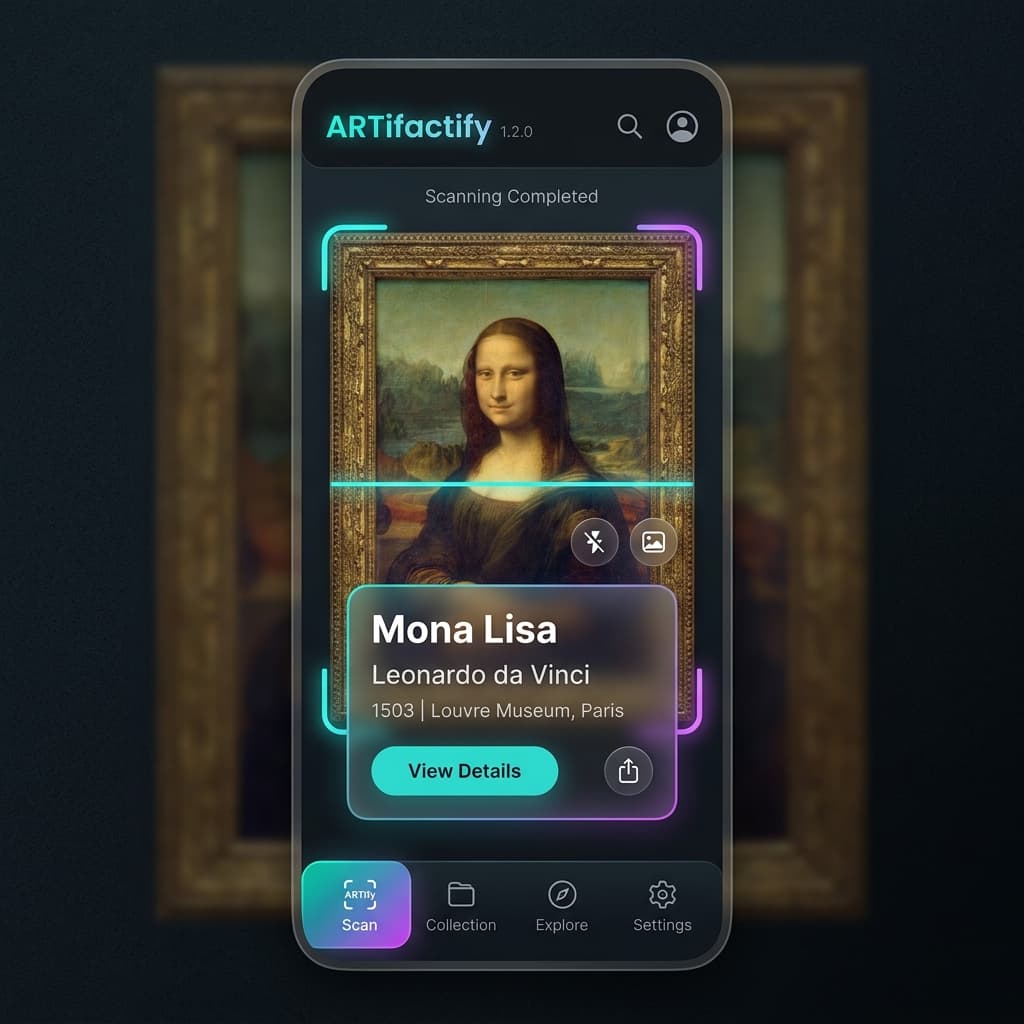
Identifying Egyptian artifacts through your camera — AI vision, AR, audio guides, and a Gemini chatbot in one platform.
At a Glance
The Problem
Museums struggle to make their collections engaging and accessible. Traditional museum apps are static brochures that require you to already know what you're looking at. Audio guides cost extra, are device-bound, and are only available in one or two languages. Egyptian cultural heritage is extraordinarily rich but chronically under-digitized in interactive form. Visitors had no way to identify an artifact by pointing a phone at it, no interactive way to ask questions and get instant contextual answers, and no access to 3D models without specialized desktop software.
The Solution
ARTifactify is a full-stack museum companion with three client surfaces — Flutter mobile, React web admin, and ASP.NET Core REST API. Users point their phone at any of 22 recognized Egyptian artifacts; the server's ONNX session pool identifies it in real time and returns metadata, location, and era. A Gemini-powered chatbot answers questions in the user's preferred language via text or voice. ElevenLabs synthesizes audio narration on demand. The entire AI inference pipeline runs server-side, so mobile clients need zero ML dependencies and the model can be updated without an app store release.
Architecture
- →Domain Layer: Plain C# entities with soft-delete interface (`ISoftDelete`) and optimistic concurrency (`[Timestamp]` RowVersion).
- →Application Layer: CQRS via MediatR — Commands, Queries, Handlers, DTOs, FluentValidation validators, AutoMapper profiles.
- →Infrastructure Layer: EF Core DbContext with Repository pattern (UoW), and all external service integrations — YOLOv8 ONNX, Gemini, Stripe, Cloudinary, ElevenLabs, Gmail SMTP, HuggingFace STT.
- →API Layer: 18 REST controllers, JWT middleware with in-memory JTI blacklist, global exception handler, rate-limiting policies, security headers, Brotli/Gzip response compression, health checks.
- →AI Pipeline: YoloModelLoader singleton with a bounded Channel<InferenceSession> pool (size 2). ModelLoadingBackgroundService pre-warms the pool on startup asynchronously — zero cold-start on first user request.
- →Clients: Flutter app (iOS/Android/Windows), React web admin (Vercel), Swagger API UI — all consuming the same REST API.
Key Features
- ✓YOLOv8 artifact detection via camera — custom ONNX model identifies 22 Egyptian artifacts; singleton session pool prevents cold-start latency
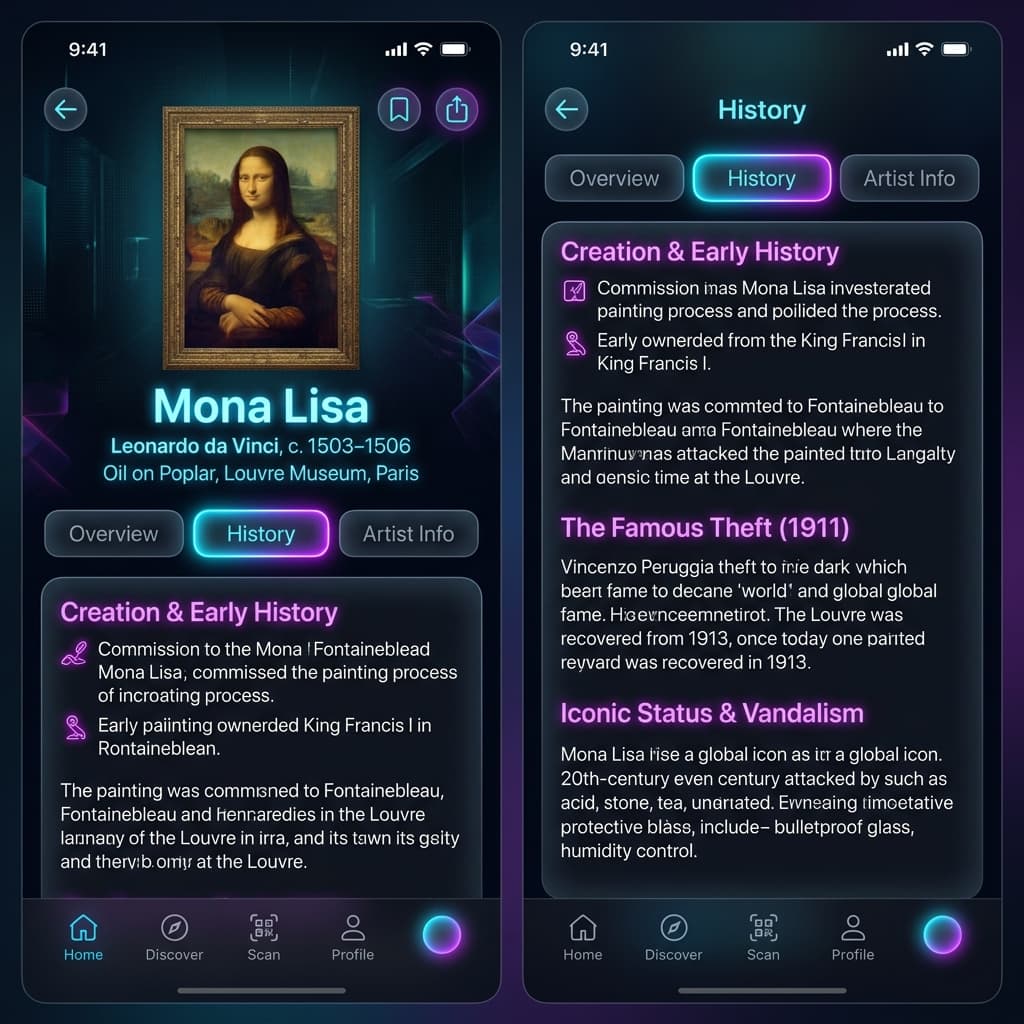
- ✓Multi-modal AI chatbot (Gemini + HuggingFace STT + ElevenLabs TTS) — type or speak, answered in the user's preferred language
- ✓JWT auth with rotating refresh tokens and in-memory JTI blacklist — prevents token reuse after logout or account deletion
- ✓Account lockout + auth rate limiting — 5 failed attempts → 15-min freeze; 10 auth req/5 min IP-level throttle
- ✓Google + Facebook OAuth social login with server-side ID token exchange and auto-provisioning
- ✓Stripe payment integration with webhook signature verification for the museum store
- ✓AR / 3D Model viewer in React (model-viewer) and Flutter (model_viewer_plus) — lazy-loaded .glb from Cloudinary
- ✓AI quota enforcement per user via IMemoryCache — prevents Gemini API budget abuse without DB round-trips
- ✓Magic-bytes image validation — checks JPEG/PNG/WebP/GIF file headers before ML inference to prevent MIME-spoofing
- ✓Fire-and-forget scan history via IServiceScopeFactory — response never blocked by background Cloudinary upload + DB write
Screenshots
Code Highlight
Challenges & Solutions
🎯 YOLOv8 ONNX model (~30 MB) causing 10–15 second cold-start on the first scan request
Implemented a `YoloModelLoader` singleton with a bounded `Channel<InferenceSession>` acting as a session pool (size 2). A hosted `ModelLoadingBackgroundService` pre-warms the pool on server startup asynchronously, so by the time the first real request arrives the model is already loaded. The singleton lives for the process lifetime, eliminating repeated file reads and ONNX session creation overhead.
🎯 ObjectDisposedException on scoped DbContext in background scan-history task
Used `IServiceScopeFactory.CreateAsyncScope()` inside `Task.Run(...)` to create a completely independent DI scope owned by the background task. All database and Cloudinary operations run in this fresh scope, ensuring the DbContext is alive for exactly as long as the background work needs it — then properly disposed via `await using`.
🎯 HuggingFace STT service cold-start of up to 120 seconds causing Polly to fire too early
Exposed `HuggingFaceChatbot:TimeoutSeconds` in `appsettings.json` (default 180s) and dynamically computed all Polly resilience parameters from it — `TotalRequestTimeout = timeout + 20s`, `AttemptTimeout = timeout`, `CircuitBreaker.SamplingDuration = timeout × 2 + 60s` (satisfying the framework invariant `SamplingDuration ≥ 2 × AttemptTimeout`). Retry count reduced to 1 because audio streams are not idempotent.
Tech Stack
What I Learned
- 💡Singleton vs. Scoped lifetime mismatches are a real production hazard. The `IServiceScopeFactory` pattern should be a first-class tool whenever background work touches scoped services.
- 💡Rate limiting design requires knowing your abuse vectors upfront. Splitting into `fixed`, `ai_endpoint`, and `auth_endpoint` policies gave each surface its own tunable throttle without blanket over-restriction.
- 💡AI model serving belongs on the server for a mobile app. Keeping inference server-side kept the Flutter APK thin, allowed model updates without app store releases, and eliminated platform-specific ML package dependencies.
Links
Interested in a similar solution?
Let's discuss how I can build something like this for your business.